Physical Buttons Dashboard Control Panel for Model 3 / Y | Smart Rotary
Original price was: $119.99.$67.45Current price is: $67.45.
29 in stock
Description
Physical Buttons Dashboard Control Panel for Model 3 / Y
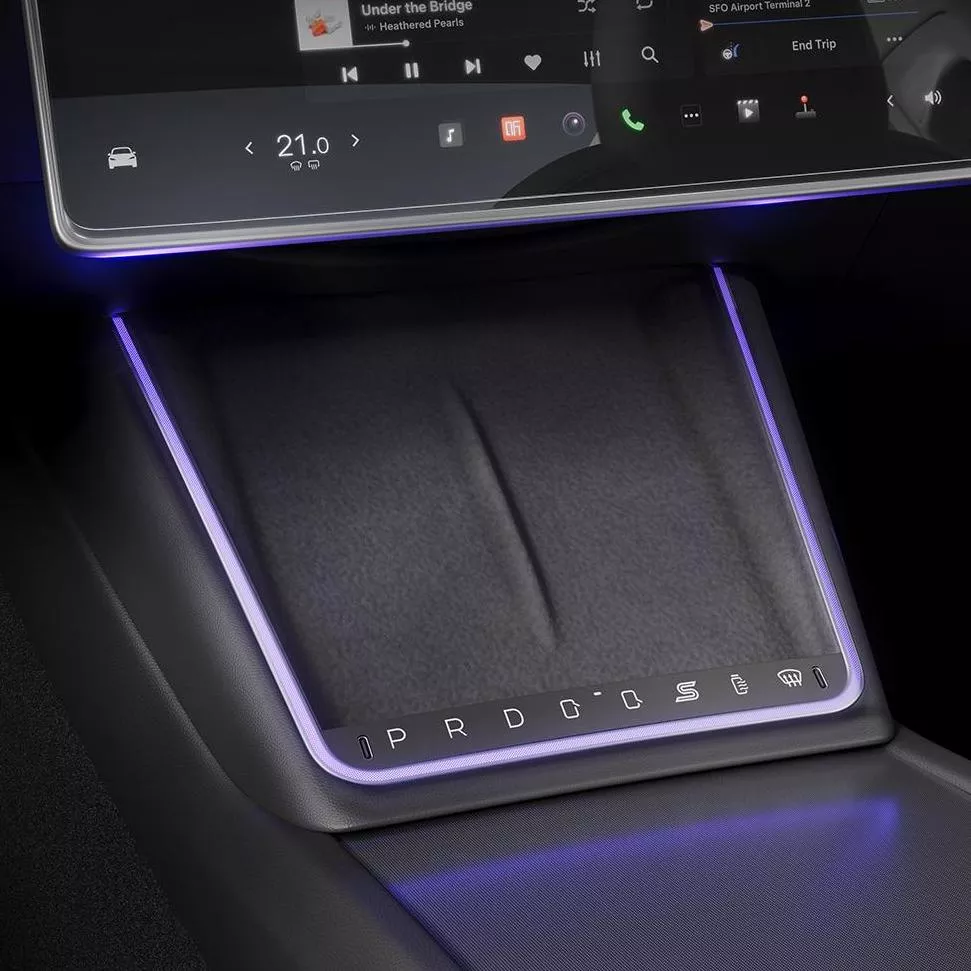
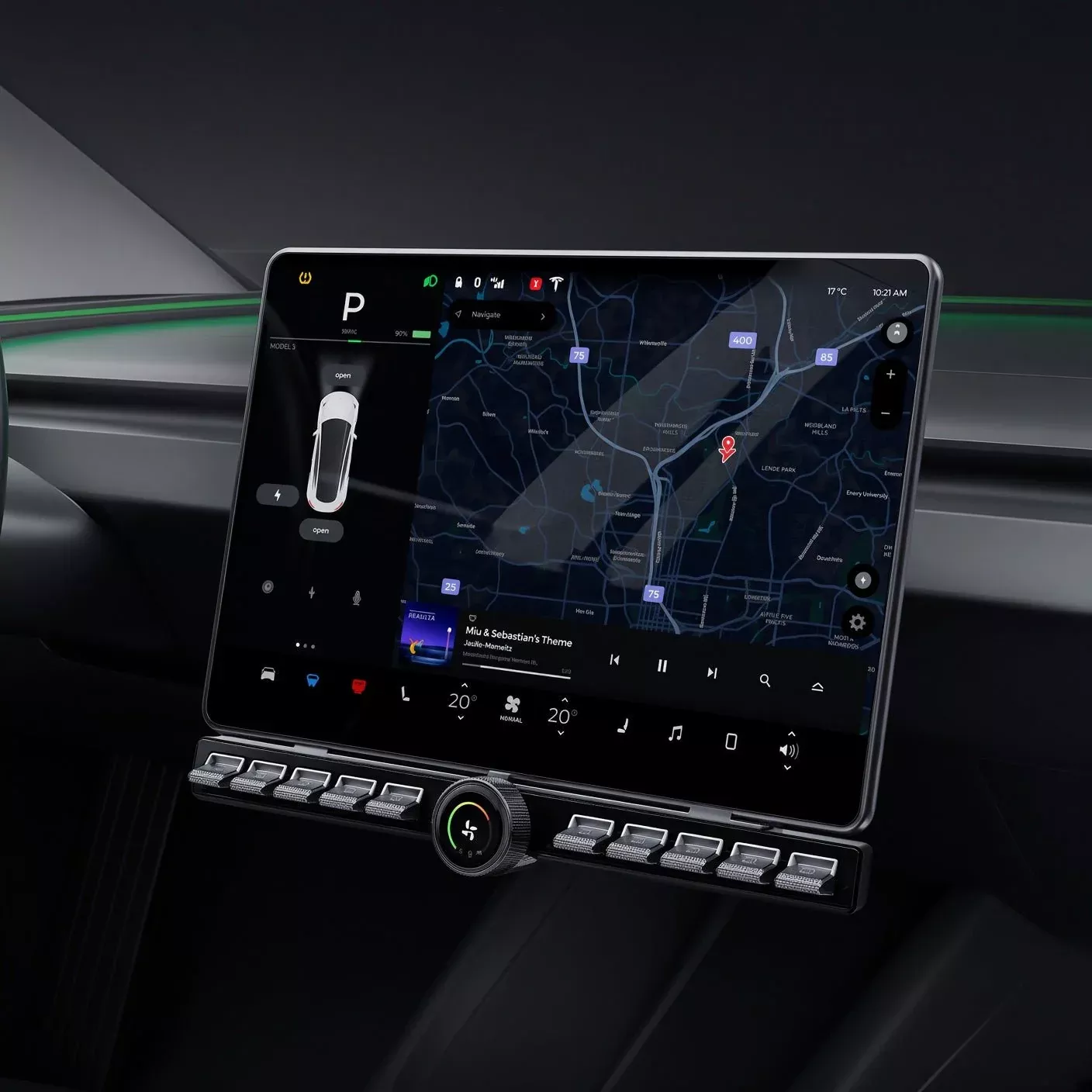
Upgrade your Tesla Model 3/Y with these durable and user-friendly physical buttons. Offering a seamless and intuitive driving experience, these buttons provide easy access to controls without distracting from the road. Elevate your driving with precision and convenience.
Triple Rotary Control
Integrating airflow control, temperature regulation, and customizable shortcut control into one HD LCD rotary button. Fine-tune your settings with ultimate fingertip precision for zero-distraction blind operation.
10 Custom Physical Buttons
Built with 20 simple interactive function settings to suit diverse driving habits, eliminating cumbersome touchscreen hierarchies and ensuring instantaneous blind response.
Exclusive Glowing Icons
High-tech glowing icon layout ensures effortless key recognition even during late-night driving, blending practical utility with high-tech aesthetic ambiance.
Product List
Everything included in your package for a complete plug-and-play installation.
Package Contents:
- • Control Unit
- • Long Bracket (Model 3 & Model Y)
- • Short Bracket (Model 3 Highland & Model Y Juniper)
- • Power Extension Cable
- • Main Power Cable
- • USB Adapter
- • Installation Pry Tool
- • Custom Icon Stickers
Compatibility
Designed exclusively for modern Tesla configurations to guarantee a factory-fit look.
Tesla Model 3
Model 3 2021+ / Model 3 Highland 2024+
Tesla Model Y
Model Y 2021+ / Model Y Juniper 2025+ / Model YL 2026+
Installation Instructions
Follow our step-by-step 11-stage installation guide for a seamless, non-destructive upgrade.
01
Remove Passenger Door Trim
Carefully pry off the passenger-side door edge trim strip to access the wiring channel.
02
Remove Center Console Side Panel
Detach the right-side panel of the center console to expose the internal cable routing path.
03
Remove Footwell Cover
Lift and remove the footwell sill cover to allow clean cable routing beneath the trim.
04
Connect Vehicle Power Cable
Plug the main vehicle power cable into the corresponding port on the control module.
05
Connect OBD Cable
Attach the OBD cable to the vehicle’s OBD port to enable communication with the button controller.
06
Insert Power Cable into Protocol Box
Insert the vehicle power cable into the designated port on the protocol box to establish power.
07
Connect Extension Cable to Protocol Box USB
Plug the power extension cable into the USB port on the protocol box to extend the power supply.
08
Route Extension Cable Through Glove Box
Thread the power extension cable through the glove box cavity to reach the button control unit.
09
Connect Extension Cable to Button Unit
Plug the routed power extension cable into the USB port on the physical button control unit.
10
Clip Bracket onto Screen Mount
Snap the button bracket securely onto the factory rear support bracket of the vehicle’s screen.
11
Reinstall Trim & Complete
Reattach the footwell cover, center console side panel, and door trim strip. Installation complete!
Technical Specifications
Precision-engineered hardware built for seamless Tesla integration.
| Parameter | Specification |
|---|---|
| Button Display Resolution | 128 × 128 px — Round LCD Screen |
| Power Input Interface | Type-C Port |
| Firmware Upgrade Interface | USB Port (Software OTA Upgrade) |
| Operating Voltage | DC 12V |
| Operating Current | 200 mA |
For your safety, always power off the vehicle before beginning installation. Ensure the infotainment system is fully shut down and the vehicle is in a stationary, safe position before handling any cables or components.
Frequently Asked Questions
Got questions? We’ve got answers to help you decide.
No, our physical button kit is a non-destructive plug-and-play accessory that does not interfere with the vehicle’s core computer wiring or factory warranty terms. Yes! The system offers 20 customizable function settings across the 10 physical buttons, allowing you to tailor shortcuts to your personal preferences. Absolutely. Each key features an exclusive glowing icon layout designed to remain soft, clear, and non-distracting during low-light or nighttime conditions.
Related products
-
- Sale!
- configuration upgrade
35L Portable Car Refrigerator for Tesla Model Y Trunk
- Original price was: $377.40.$290.83Current price is: $290.83.
- Add to cart
-
- Sale!
- configuration upgrade
TESERY Rear Trunk On-Board Refrigerator for Model Y (5 Seaters)
- Original price was: $341.40.$197.43Current price is: $197.43.
- Add to cart
-
- Sale!
- configuration upgrade
Model Y / Model 3 Highland Screen Swivel Rotating Mount Kit (Fits RHD & LHD) | TESERY
- Original price was: $71.20.$53.17Current price is: $53.17.
- Add to cart
-
- Sale!
- configuration upgrade
Automatic Electric Frunk System for Model YL & Model Y Standard | TESERY
- Original price was: $287.20.$164.75Current price is: $164.75.
- Add to cart
-
- Sale!
- configuration upgrade
Electric Frunk System for Model X | Hands-Free Automatic Opener | TESERY
- Original price was: $367.20.$214.42Current price is: $214.42.
- Add to cart
-
- Sale!
- configuration upgrade
TesevoPhysical Shortcut Buttons Console for Model 3/Y
- Original price was: $66.24.$34.11Current price is: $34.11.
- Add to cart
-
- Sale!
- configuration upgrade
LCD Knob Docking Station for Tesla Model 3 / Y
- Original price was: $103.20.$82.38Current price is: $82.38.
- Add to cart
-
- Sale!
- configuration upgrade
TESERY 4D Rotating LED Ambient Tweeter Speakers for Model Y Juniper / Model 3 Highland
- Original price was: $183.20.$99.88Current price is: $99.88.
- Add to cart